Showing posts with label email marketing. Show all posts

Friday, December 27, 2013

The Slow Death of Email and What You Can Do About it

Being in the world of marketing automation for as long as I was, I was a bit jaded and defended email as a marketing tool like it was the be all and end all of marketing. Since moving to another part of B2B marketing and executing different types of email campaigns I now have a completely different perspective.

Email is in fact losing its touch. In this fantastic Slideshare by Gary Vanderchuck "How to Tell Your Story in 2014" he asks "When was the last time you were excited by an email?". I can tell you honestly that I don't remember. Perhaps it was a transactional email I received that told me a shipment had arrived? When was the last time you were excited about getting an email?

Gary goes on to show an image that says "Marketers ruin everything". What he means is that when marketers find a tactic that works, they can run it into the ground. The trick as I see it is to always staying ahead of the pack by using advanced marketing methods. I'm not alone in my thinking.
When was the last time you were excited to open an email?

The Evolution of the Modern Marketer: Email Tips From the Pros 


If you ever want to take a peak into the minds of the B2B marketers that are at the cutting edge of everything, head over to www.topliners.com. This discussion "Declining email response rates?" is a fantastic example as these top marketers are discussing their own email campaigns and what they have found to be successful. These are the new breed of marketers - the modern marketers. They of course live outside of Topliners but Topliners is one of the only public forums that you'll find them. Listen closely to what a few of these marketers are saying about email:

 Kristin Connell: IMO, I think it's too generalized of a statement to say that the "biggest pain point for digital marketers is declining email response rates." I think it's merely a symptom of the larger issue to digital marketers - to Eytan's researched response - in that it's becoming much more complex and doesn't just require better tools, but better, more "modern" skill sets.

Jennifer Gonzalez: I think declining response rates correlate to people trying to build their lists through less than ideal methods. For example, if you purchase lists to build up your database, your response rates will decline because you are emailing people who are not interested in your message.

lkincke:  I think it's a matter of perspective, it may feel (as a digital marketer) like response rates are the pain point but the truth behind having an engaged, responsive audience is having engaging content.  If your response rates are declining and all other factors surrounding your audience, deliverability, etc remain the same then the clear problem is in the content.  Being on the consulting/agency side the last few years I feel very strongly that the average marketer is reluctant to admit when their content might be the problem. It's much easier to claim it's an industry-wide trend than to attempt to optimize something you put together, no one wants to admit that maybe their baby is ugly. 

Dave Liloia: I think that there are two worlds at work here though. The first is made up of people like us who understand the space, know what is possible and work REALLY REALLY hard to be better every day. The other world is made up of people who still use a word that starts with B and ends with LAST and think that's an ok way of doing business.

Good data + good content + good process = good campaigns


Kurt Weisenberger: For LifeSize, since we've further segmented our database specifically by verticals for our nurture programs we've seen increased response rates. We also create very timely content on a monthly cadence for our primary prospects - and customers.

There are a bunch of good ideas here and they revolve around the following marketing concepts: segmentation, personalization, data and content. The tools are an instrument for success - they make it easier but it's more the mindset that makes these marketers have higher email response rates then the tools they use. However, is it enough?

Is it enough? Will These Best Practices Save Email? NO!


It's great that you have some advanced marketers that are creating a better, more engaging experience for their email recipients. Here's  the big question: even with employing these best practices, will email response continue to decline due to the overuse of this channel? Time will tell. These advanced marketers have proven that you can still be successful with email but it takes effort and commitment. It also takes knowledge. You need to know your customers - what they want, what their challenges are and what they would be interested in. I don't think it will be enough and Gary agrees with me.

Gary Vanderchuck summarizes this into the simple concept of "storytelling". Marketers need to communicate what the story of their organization is (its value proposition). To get the attention of potential buyers, marketers need to engage with their audience. Social media is a great channel to use for this purpose but it can't be used as a "blasting platform". You need to really engage your audiences.

While Gary focuses his story on driving marketers to use social platforms like Facebook, Twitter and Instagram as tools to tell your story, there is definitely more that can be done. Your story is being written outside of channels that you control and directly interact with.

Storytelling 2.0


While I agree with Gary that storytelling will win the day as it is the best way to convey a message, it goes well beyond the mainstream areas of social media. Marketers should be ensuring that their story is a positive one on online review sites such as Yelp, Linkedin, Quora and Google. Marketers should be leveraging their best customers - their advocates - to help spread this story. It should not just fall on the company to be the storytellers. Your customers and other influencers can assist here. Would you be more included to open or respond to an email that came from a company or from a friend or colleague of yours?

Email as we know it toady is definitely on the decline. You can use advanced methods to maintain a very good response rate but if you don't continue to evolve your marketing techniques, your efforts will be limited and will diminish with time. Best of luck to you.

Chad H.
@chadtev

Read more >>

Tuesday, May 28, 2013

The Rules of Lead Generation Defined – Book Review

For years I’ve been helping B2B marketers execute on their marketing strategies and at times I felt like I was working from scraps of information here and there that I have learned over the years. The issue was that there really wasn’t a guide for B2B marketers. We now have one: The New Rules of Lead Generation: Proven Strategies to Maximize Marketing ROI by David T. Scott. David was kind enough to send me on a copy and I will provide a short review of his groundbreaking work.

There are many smart marketers out there that have provided a bunch of insightful resources but there really wasn’t a straightforward starting point for someone new who was just breaking into the field. David’s book has helped bridge that gap by creating the B2B Marketing bible for demand generation marketers. I have not seen another book out there that is ambitious enough to include the majority of marketing tactics covering both offline and online formats.

Who Should Read This Book: Anyone New to B2B Marketing or Wanting to Improve


David makes it very clear whom he is targeting – it’s not the mom and pop shop businesses. He’s trying to help those marketers that are looking for information on principles and strategies of enterprise level lead generation. If you are someone that wants to get an introduction into some of the tried and tested tactics as well as the basics on putting a lead generation strategy together, this book is for you.

Besides those that may be new to B2B marketing, I would also recommend this book to those that are trying to put the various pieces together and may have been thrown into the role or volunteered without a full background in this area. Have a look at this book – you will benefit from it.


What Did I Like? A Focus on Strategy, Testing and Metrics


Definitions & Strategy. I love this quote from David “You can’t build a strong house without a string foundation”. The book is split up into two major areas: definitions and strategy of lead generation and lead gen tactics.

David makes it clear that you need a firm strategy in place or your tactics will fail and you won’t be able to convince your executives to get the funding you need. He provides you with the details you need to start the planning process so even a newbie can get this in place in no time. David starts off by defining some of the basic concepts of lead generation as well as focus on targeting and segmentation (My comment: YES!). Without these foundations, it can be difficult for marketers to get their bearings and execute on their strategy. This is something I have emphasized to many marketers over the years and it’s nice to see something in writing with a hard cover that that outlines this. Don’t miss David’s “5 Steps of a Lead Generation Campaign”.

Testing. A number of resources will tell you what you need to do. David emphasizes throughout his book that you are never done tweaking your tactics. You need to constantly test as a best practice for one organization may produce the opposite effects for another. You never really know what works best unless you test in lead generation. He covers testing techniques from emailing to cold calling. David believes that there are no mistakes in testing lead generation – you need to experiment to find out what works best to reach your target audience.

The Importance of Metrics.
So you don’t consistently measure the effectiveness of your campaigns. David gets you. Marketers are really behind in this area and David documents in laymen’s terms how to measure the overall Return on Marketing Investment (ROMI) of your campaigns as well as some of the basic metrics. Running some campaigns and hoping for the best is not a smart option. Metrics should be part of your overall strategy and something that you present to executives on a regular basis. This book will help point you in the right direction. He has included a good example of comparing the success of display ads vs. a tradeshow and how to measure the impact to demonstrate which tactic is better.

There are also many small tips that you’ll take from this book from where to setup your booth at a tradeshow to best practices on messaging for your Google Adwords campaigns. You will definitely walk away with something from this book that you can use in your day-to-day marketing campaign execution.

Where it Comes up Short


In this book David admits that lead generation is in a constant state of evolution. There is no way he can cover everything that is out there as well as all the emerging trends. There is just too much going on and David has done an admirable job. I would have liked David to have focused more on these areas:
  • Marketing Automation. David makes a passing reference to some of the vendors out there including Eloqua and Marketo. I’m a bit biased here but marketing automation is a major force in lead generation today and should have had a bit more space allotted to it.
  • Content Marketing. David dismisses search engine optimization as “passive marketing” and not a large aspect of lead generation. I disagree with his opinion here, as content marketing is instrumental in attracting viewers to your materials and assisting in generating leads and moving buyers through the sales and marketing funnel. This is probably an area that can be covered in a follow up in the next volume.
  • Mobile. There are a lot of opportunities here that should be better acknowledged when it comes to Iphones and Android.
Another consideration for the next volume is to cover the area of advocate marketing. David dismisses the area of “word of mouth marketing” but advocates today are generating leads through referrals. These are solid leads that have a much higher conversion rate then some of the other tactics out there.

The book also could have used more illustrations and practical examples. David has done well to focus on the various social media tactics such as Twitter and Facebook but there are some good examples that could have been included to help the new marketer grasp these concepts. Again, only so much that can be fit into this book. I also disagree with the book’s emphasis on list purchases when it comes to email. I would recommend spending the time to build your lists organically then wasting money and time on list purchases that can get you in hot water with your email or marketing automation vendor.


My Takeaway: Read it, Live it


Let’s face it - B2B Marketing is a newer concept that is still emerging. We’ve moved beyond the traditional type of brand marketing that you see in Mad Men and marketers need to understand these new frameworks. Another name for this book should be “Lead Generation 101”. The New Rules on Lead Generation will help marketers get to that next level and should be standard reading for those studying marketing in business school and those that are newer or less experienced in this area. Happy reading!

Chad H.

@chadhorenfeldt

PS: The last chapter on integrated campaigns is a must as it ties together many of the concepts and has some good examples.
Read more >>

Friday, May 06, 2011

5 Tips to Improve Email Response

long-email-thumb-180x180Are your recipients not responding to your emails? This is a topic that I’m sure hits home with many of you. You work hard on getting an email campaign together, you send it out and then you find that the results were not what you were hoping they would be. I originally responded to a discussion on Focus called What strategies can you recommend for enhancing performance of email marketing campaigns? that covered this topic. The first few answers included suggestions such as good subject lines and ensuring that the emails are relevant to the recipient. I want to expand on this and provide five tips of my own that can help you improve your email response.
  • Content: The better and more relevant the content in your emails, the better the response. This may seem obvious but you would be surprised how often this gets overlooked. A recent customer of mine found that video and case studies outperformed white papers. Have you reviewed what content is working and what isn't? This should be done regularly. The type of content should also be tied to the stage of the buyer's journey that the recipient is currently in.
  • The Message: Does the message in your email provide an educational, thought leadership type approach or is it simply all about your company? Always put yourself in the shoes of the email recipient and think about what would convince them to open and respond to your email. It's the "what's in it for me" factor. Focus on your recipient's pain points and how to solve those and less on the benefits of your product or service. In addition, don't bore the reader with too much content. Keep it short, sweet and to the point. The point of email is to get someone to take the next step - focus on that.
  • Personalization: I'm not talking about "Dear so and so". Real personalization has the email coming from the Account Manager, Support representative or sales rep that has or will interact with the email recipient. By automating this process and having the email come from a real person, you can increase your email response 4X. There are some tricks here as well as to when to use this type of personalization and it may not be appropriate in some situations. As a standard rule, if a relationship has been established or you’re looking at a way of establishing a relationship, use this approach. This is a feature that you would typically find with a marketing automation tool.
  • Email Deliverability: This is an area that is difficult to consume as it's not tangible but it can make or break the success of your email campaigns. Ask yourself: Is your email list clean? Having a messy list can lead to spam complaints, hard bouncebacks, "unknowns" (non-responders), and spam traps. All of these factors can reduce your email reputation and prevent your emails from landing in the inboxes of the people that are keen to get your emails. You need to ensure that you know what your Sender Score is, if the emails you send have authentication, if you are receiving spam complaints, and the if you are hitting spam traps. Your email/marketing automation provider should be able to assist here. As a first step, I recommend checking out this guide on Email Deliverability and Privacy.
  • Test: - I hate this one as everyone always says “test, test. test” but I can't stress how important it is. If you don't believe me, have a look at a few examples over at www.whichtestone.com. You'll see that you never know what will work better unless you test it. Here is a great one that Sonic Foundry did on testing their subject line: Long vs. Short Email Subject Line Test.
I hope these short and sweet tips were helpful. I know it;s hard sometimes to look in the rear view mirror and examine the success of your campaigns but you need to do it. Look at a few of your low performing emails with the tips above in mind and think about questions you may have and what you can do to make improvements. Small changes to your emails can generate higher conversions and result in a higher impact further down the sales/marketing funnel. What you decide to do is in your hands.

Chad H
@chadhorenfeldt
PS: If you have examples of your emails, I would be happy to have a look at them.
Read more >>

Monday, November 22, 2010

How Email Deliverability and Relevancy are Directly Related

It’s not too early to start planning for email campaigns you will be launching next year. To help you with this task, I’m going to share a number of takeaways from a recent MarketingSherpa webinar that I attended titled “Top Tactics to Improve Email Relevancy and Deliverability” and included experts from MarketingSherpa and Return Path. In this post, I’ll provide a summary on some interesting data points and tactics to keep in mind as you plan for your 2011 campaigns.

What is on the Mind of Marketers When it Comes to Email?

Relevant_to_interests_hedgehogMarketers are looking beyond cosmetic teaks to their emails to improve response rates. In the 2010 MarketingSherpa benchmark report, the Sherpa folk found that the most significant challenge for marketers when it comes to email is around relevancy. In fact ninety-five percent of marketers are looking to improve the relevancy of their emails. By relevancy, I mean sending the right message to the right person at the right time. Also high on the list was email deliverability. A good chunk of the marketers surveyed (78%) also viewed getting emails delivered to the inbox as significant. Both of these items are closely related which we’ll get to. First, let’s look at tactics to improve relevancy.

How You Can Improve Your Email Relevancy

From another Sherpa chart in the same benchmark report, the most effective tactic when it comes to sending relevant emails is to send emails automatically based on certain triggers. These are typically transactional emails that are sent when you purchase a product online or register to receive valuable website materials such as a white paper. MarketingSherpa has other data to back this up. They found that transactional emails are opened 36% more than regular emails. In the webinar, an example was used of a retailer that achieved a number of additional sales by including relevant products in the transactional emails that were sent after a purchase. B2B marketers should also use transactional emails to their advantage by including content in them that will help buyers move to the next stage in the buyinng process. This assumes that you have defined the different stages that a buyer proceeds through and the content that matches these stages.

Another very effective tactic is to use the behavior of your subscribers when creating your email lists. An example of behavior based segmentation may include an email campaign that targets your most active subscribers (those that have opened and/or clicked a number of emails in the last three months). A recent success story using this technique that I’m aware of involved a client that sent an email on the day of a webinar to those people who had opened or clicked on two previous email invites but had never registered for the event. The email that was sent on the day of the event received a 60% open rate and 25% click-through rate and greatly increased the number of leads generated by this campaign.

While marketers indicated which tactics they used, they also let Sherpa know that increasing relevancy isn’t easy. Most of the issues stem around having enough information on the subscriber to serve up content that is truly different. Another issue is generating the content itself. To create a relevant email, you need relevant content and you need people to create it (see the following amusing cartoon that captures the hard of this issue: Who is Creating Content for Your Company?). On the first point, Sherpa recommends a “use what you got” approach. Use the data that you have in your database to send relevant information. For example, you can use the create date of a contact to send new subscribers slightly different content to keep them engaged. On the content creation side, there are several approaches you can take. I recommend finding the people in your company that are knowledgeable, passionate and enjoy writing. This task doesn’t have to just fall on marketing’s shoulders.

Relevancy Improves Email Deliverability (or Destroys it)

This concept is very simple. The more relevant the email, the higher the chance it will be opened/clicked, the less chance it will be deemed as spam by the recipient, and the higher your email sender reputation will be. The less spam complaints you get and the higher your sender reputation, the better your email deliverability will be. Therefore relevancy increases your email deliverability.

The opposite is true as well. The less relevant the email, the less chance that people will respond to it, the greater the number of spam complaints, and the lower your email sender reputation will be. Return Path is also finding that some ISPs like Gmail and Hotmail are looking at the engagement of recipients to help determine your email sender reputation. For example, if your emails are being deleted without being opened, there is a chance that your email reputation will suffer. To make things even more difficult, Sherpa is finding that junk folders and spam filters are getting even more aggressive leading to an increase in the number of "soft bounces“ or emails that simply vanish into email purgatory. Return Path reported that in the second half of 2009, up 20% of emails sent never made it to the inbox with 16% of emails in North America disappearing (not bouncing or making it to the inbox). That is definitely scary.

How Can You Improve Your Email Deliverability?

sync_robotHaving a reputable email or marketing automation tool is important in terms of your email deliverability but that alone won’t ensure your emails make it to the inbox. As Return Path says, your vendor can only do so much for you. There is no little robot that is working 24/7 behind the scenes to ensure that your emails magically make it to your recipients (it reminds me of those Ford Sync commercials). That does not mean that there is no monitoring of blacklists or ensuring that the systems are running properly. Your vendor should provide the infrastructure, the tools and the resources to help you get your emails delivered. However, they can’t ensure that your data is clean and that your not hitting spam traps. As mentioned above, many aspects of email deliverability depend on email relevancy which is something that only you can control.
Here are the top email deliverability tips related to relevancy that I took away from the Sherpa webinar:
  • The easiest and most effective tactic is to get your own IP address(s) for sending your email. This option should be available from your email provider but may be sold at an additional cost. It is definitely worth it as it allows you to control your own email deliverability destiny and includes additional authentication protocols (SPF and DKIM) that tells your recipients that your email tool has permission to send emails on behalf of your company. You can also regularly check your email reputation which can be done for free via Return Path’s Sender Score website. If you have a low score, it may mean that your emails aren’t relevant and that you have additional issues that need to be addressed.

  • Remove your inactive email addresses. This refers to the people you have in your database that are not responding to your email campaigns. I recommend creating an automated reengagement campaign with special messaging to try and reengage these “do nothings”. However, don’t waste too much time on these guys. The more emails you send to these recipients, the more damage it can do to your email reputation and your overall email deliverability. It would be a shame to have these “do nothings” prevent your active recipients from receiving your emails. As an additional tip, be sure to add links to your social media channels such as LinkedIn, Twitter and Facebook within your reengagement emails as these email non-responders may prefer to keep in touch on other ways.

  • Get a seed list monitoring tool. Before you send out your emails to your lists, you can see if your emails will make it to the inbox, the junk pile or be blocked all together using tools available from Return Path. Many email and marketing automation vendors include these tools as part of their standard packages. Take advantage of these tools! If your emails are not reaching the inbox, there may be a relevancy issue.

  • Email frequency is not an issue if your sending relevant information. Many marketers are worried that their recipients are receiving too much email. You should be able to run reports to better understand the average amount of emails your database is receiving in a certain period. You can also verify of this is an issue by tracking unsubscribes and spam complaint data. That said, if the email your sending is being triggered by a certain event or activity, the recipient should not have any issue with receiving these additional emails. In another recent benchmark study by Eloqua, it stated that best in class companies weren’t too concerned with email frequency do to the high use of automation and relevant communication. They also had a low unsubscribe rate.

  • Personalizing your email increases relevancy and improves deliverability. There are many ways to add personalization to your email campaigns. This may include field merges and adding dynamic content. I’ve written more about this in the post “Top Automated Marketing Personalization Tactics”. In the short term, these tactics may increase the time needed to execute campaigns as additional planning and training may be required. It’s worth it. The time you’ll save in the long run and the increased response you’ll receive from your campaigns should result in you kicking yourself for not doing it sooner. Make sure your using the right tools that allow you to build in dynamic content. There’s no point manually writing in the signature for an email that you want to send on behalf of your sales team. You have better things to do.
The relevancy of your campaigns and email deliverability are deeply connected. The faster that you incorporate this into your thinking, the more you’ll get out of your database and the better results you’ll receive. I hope that you found this post interesting and let me know if you have any questions or your own stories on how you used relevancy to improve your email campaigns.

Chad H.
@chadhorenfeldt

PS: Here are the slides from the MarketingSherpa presentation if you’re interested:
Read more >>

Sunday, July 04, 2010

Tips to Improve How You Segment Your Database

Hi everyone. Between taking a nice vacation, recovering from the vacation and then work travel, the ‘old blog was collecting some dust. During my travels and discussions with customers, one of the items that keeps coming up is the need for clean, complete and accurate data. When you have the right data you can laser focus your marketing efforts and achieve a higher response from your marketing campaigns. This hopefully results in more sales opportunities and closed business for your company and that nice bonus that you deserve.

Let’s face it, there is no magic wand that will instantly get you the data that you need for your segmentation goals. It’s going to take some time and effort but there are some ways to automate the process and I’m going to focus on two examples that I came across this week. Before we get to these, let’s examine the pitfalls that some marketers fall into when it comes to collecting data.

Reality Bites: We’re Too Busy, We Change and We Lie

One of the easiest ways to build out the profile of individuals in your database is to ask people to provide you with the information you need for your segmentation purposes and to make sales happy. This is typically done when visitors arrive on a landing page where they are encouraged to fill out a form to receive something in return (demo, white paper, webinar etc…). At times, you may see a really long form that asks for everything from your name to the name of your pet (Ok, maybe not the name of your pet but you know what I mean). Here are the problems with this approach:

  • If you ask for too much information, your form conversion rate will go down. The more fields you have on a form that is designed to generate leads, the greater the chance that a web visitor will not the complete the process. The reality is that buyers typically need the information you’re offering but can be impatient and feel that if there is too much effort for a simple piece of content, it’s just not worth it and move on.

  • People lie. Don’t tell me you’ve never entered in a fake name and phone number to download something. You really need to consider the information that you ask people and when in the buying process you are asking for it. Requesting web visitors for the time frame in which they are looking to buy your product can be problematic as the person completing the form may lie to avoid getting a call from a sales rep even if they are looking to purchase in the next 3 months.

  • Seasons change. People change. The interests and position you have today may not be the same three months down the road. Are you allowing people to update their information?

You’re probably saying “well, I need that data to properly segment and route potential leads so I have no other choice but to have those really long forms and ask for everything up front”. There are other ways to collect the information you need but it involves being patient and having the right tools. When creating a lead gen form remember to focus on collecting data that you need at that point in time and to ensure that there is a true value exchange of information. Therefore, while it may be okay to ask for the complete address of a registrant when they sign up to receive your newsletter, you need to ask yourself: Do I really need to collect this information now? Is it justified for me to ask for this information for what the web visitor will be receiving in return? Remember to keep the subscriber in mind as your work through your data collection processes. Let’s get to some possible ideas that will help you improve the way that you collect information from your subscribers.

Example 1: Dynamic Email Content Based on Email Clicks

When asking an email subscriber to provide any of their private information, it’s best to do so in a way that makes it as easy as possible for the subscriber and is as unobtrusive as possible. I recommend a method called “Progressive Profiling” in which you collect information from the subscriber over time. For example, if you’ve entered a new subscriber into a lead nurturing program you can ask for additional bits of info such as their title, major challenge or geographic location as they download pieces of content from the emails that are part of this program. This subtle approach works well and has produced high conversion rates (I need to dedicate a post just on this topic).

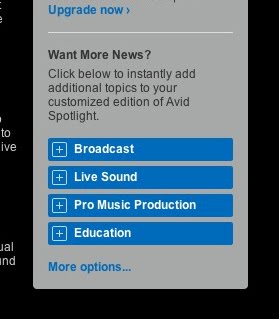
This past week, I read about a fantastic approach from Avid that makes it easy for email subscribers to customize the email content they receive from Avid as well as let Avid know what they are interested in. The other bonus for Avid is that they don’t need to send different versions of the newsletter – they just send one version that dynamically changes the content based on the subscribers preferences. Just by clicking on a button in the email, the subscriber will receive an updated email newsletter with content that is tailored to their needs. Avid now has additional data they can use to send more targeted communications and their approach could not have been easier for the subscriber.

How did Avid do this? You can get your “geek on” read the full details but I’ll provide you with the Coles notes version. On the initial email newsletter you receive when you provide your email address, you are encouraged to customize future newsletters by selecting the topics that most interest you. When a topic is clicked on, the registrants profile is updated through the magic of marketing automation and can be used to determine which content should appear when the next newsletter is sent. You can try this out yourself here: http://forms.avid.com/forms/spotlightdemo


Let’s move on the second example from SmartBrief that can help you get your subscribers to update their information.


Example 2: Optional Profile Update When You Clickthrough from Email

As a manager I’m always looking for tips on improving my leadership skills and one newsletter that I read consistently is by SmartBrief (which I highly recommend). While SmartBrief does ask for a fair amount of information up front, subscribers get tremendous value in the content and it’s worth it. Last week I had a unique experience when I clicked on an article from an email they sent me. Before I was taken to the article, I came to a screen that gave me the option of updating my profile or going right to the article:

While I don’t know how successful this approach was for SmartBrief, I thought it was innovative and shouldn’t be too difficult for marketers to replicate (ping me if you want to discuss how to do this in more depth). When I clicked on the “Update My Profile” button, all of my information was pre-populated which made it easy for me to scan it to see if any updates were needed. I also liked how I was thanked for being a loyal newsletter subscriber as well as provided with an offer of the 10 most popular stories from the past year if I chose to update my profile. I found this approach unique as I didn’t find this method too intrusive. I would recommend that marketers experiment with this tactic if they’re looking for a way to get subscribers to update their profile.

Both examples demonstrate how you can collect additional data for segmentation purposes in an easy and non-threatening approach. Hopefully this will spark some ideas of your own and you can work on improving how you get a more complete and accurate view of your database to assist you in your marketing efforts. Good luck!


Until next time.

Chad H.
Read more >>

Wednesday, April 07, 2010

Wake up and Send More Email

Social media is all the rage these days and I’m in complete agreement that it should be part of your campaigns but let’s not overlook the power of email and how it’s being underutilized by many organizations today. From conversations that I have with marketers I sometimes sense this feeling of anxiety when I recommend that they should increase the frequency of emails that are sent to their opted-in database. This fear stems from a number of different sources and I typically hear the following:

  • We don’t have anything good to send to our database
  • We don’t have any time-sensitive events that we need to promote
  • We’re sending too many emails already
  • We need to cleanse our database first before executing campaigns

Too Many EmailsDon’t get me wrong, I’m not saying that you should go and carpet bomb your database with a press release on how your company now has an office in the North Pole to service the growing northern population. On the other hand, what you may find is that there are opportunities to send more relevant and timely email communications to certain segments of your database. Let’s take a closer look at these sources of fear when it comes to pulling the email trigger to help marketers break free from their “email frequaphobia”.

”We don’t have anything good to send to our database”

There is an inherent issue with this statement. When the marketer says “we don’t have anything good to SEND to our database”, they assume that the marketer is defining how and when the buyer should receive information. In today’s B2B purchase process, the marketer is no longer in charge. The marketer needs to make educational materials that will guide the prospect along the buyer’s journey as they progress through the evaluation stages to the eventual product purchase. If this is not done, there is a greater chance that leads will leak out of the sales and marketing funnel and may go to the competition.

Therefore, marketing organizations can no longer use this statement as a crutch. What is recommended is to map out the content that prospective buyers would be interested in at various stages of the sales process and automate the delivery of this communication. In terms of having the necessary content, many organizations may be surprised at the content that they already possess. Review your website and other sources such as blogs and previous campaigns and look at ways that content can be repurposed (I talk more about this here: The Recession is Here - Time to Become an Eco-Marketer). If the email content is relevant based on a prospect’s recent behaviors, then increased frequency becomes a non-issue. Yes, these initiatives will require resources to prepare the content as well to set up these types of campaigns but it is well worth it – trust me. You can also take advantage of technology to at least help with the campaign execution piece. My recommendation is to start small and show results and then build on that momentum.

“We don’t have any time-sensitive events that we need to promote”

This statement is very similar to the first section. Just because you’re not presenting at tradeshows or executing monthly webinars doesn’t mean that your database should not be receiving regular communication from you. Here are a few campaign ideas to consider when thinking about providing relevant and engaging content via email:

  • Email newsletters. This tried and true communication piece will work as long as the content is good (i.e. more educational than promotional)

  • Welcome Program to ramp up new email subscribers on the resources available to them. See: Ready to Welcome Your New Leads?
  • Lead Nurturing Programs for leads that are currently evaluating your product or services
  • Longer term lead nurturing programs for leads that have been passed back to marketing
  • Reengagement Programs. These are programs that target leads that are associated to stalled opportunities or contacts in your marketing database that are no longer responding to your emails.
  • Additional event triggered communication. For example, I describe how you can engage web visitors that have searched for something on your website but couldn’t find what they’re looking for: http://eloqua.blogspot.com/2010/02/engage-search-visitors-viatriggered.html
  • Customer communications. This may include emails for new clients, timely product usage information, regular tips and tricks and renewal notices. It all depends on your type of business but I’m sure there are not many companies that couldn’t improve in this area.
  • Social media highlights. If you have a blog, Twitter account and/or YouTube channel, consider blending the best content from these different sources into an email that can be shared by your email subscribers. Don’t assume that just because you tweet that people read it. Use email as the glue to your social media efforts to get the most out of your social media content. Consider adding RSS feeds from these channels directly to your emails (an oldie but goodie: Latest Trends in Email Marketing: RSS and Calendar Reminders).

Part of this effort is creating a lead nurturing culture in organizations which I’ve outlined here: How To Build a Lead Nurturing Culture Part I.

“We’re sending too many emails already”

    You may have this gut feeling that your sending too many emails to your database and that if you keep sending emails that your subscribers will call it quits. This issue tends to generate even more hysterics in larger organizations. The first thing you need to do is to get a handle on how many emails that you're actually sending. You should be able to get a sense of he average number of emails that the majority of your database is receiving within a given time. If your data is telling you that the majority of your database only received 2-3 emails within a three month time period, there may be an opportunity to send relevant content to your database to keep them engaged and maintain the brand awareness that helped get these subscribers in your database to begin with.


    Make sure you can easily obtain this type of email frequency information and monitor it regularly. What you don’t want to have happen is create a multitude of automated programs and the realize that a proportion of your database is in fact receiving too much email. For more information on this topic, see: What’s the [Email] Frequency Kenneth?


    “We need to cleanse our database first before executing campaigns”

    Ok, your database is a bit of a mess and it’s taking time to clean it up. Guess what – you’re always going to have some data issues. Your database will never be perfect. Don’t use that as an excuse to not start on a simple nurturing program to a specific segment ( for example: a specific industry) or creating a welcome program.


    In addition, you can even use automated email programs to collect more information regarding your subscribers over time which can help clean up your database. In fact, when you start sending out regular email campaigns, you’ll soon see who in your database truly wants to hear from you based on the digital body language that these subscribers are exhibiting.

    Keep this in mind: The more you wait before you execute your campaigns, the more stale your database gets. Don’t let this happen to you. Start thinking about what you can do to increase the number of quality interactions that you can have with your database via email. Break free from email frequaphobia and leave your competition in the dust.


    Chad H
    @chadhorenfeldt

    Photo Credits:

    Read more >>

    Tuesday, January 26, 2010

    5 Marketing Automation Email Tips

    I have the pleasure of welcoming a new bunch of Eloqua team members who we start off with a boot camp here in Toronto so they get to know each other and the rest of the company. I’m going to outline some of the cool things our customers do but I’ll also sherpa walking carrying loadprovide a short intro on what I do in my day to day. To make it easy for everybody, I like to describe my role as a sherpa for our customers. Not a marketing sherpa (that name is already taken) but a marketing automation sherpa as my job is to guide marketers on a journey to help them reach their goals. Like any sherpa that is climbing a mountain, I need to have a number of tools handy that I can recommend depending on the situation (yeah, I got a big bag of tools).

    In this post, I’m going to outline some tips you can use to engage or reengage your email subscribers. While you don’t need a marketing automation tool, these tactics can take a long time to create and execute manually. Because the process is automated, with marketing automation, you just need to define your list criteria and business rules once and the program manages the rest for you.

    Tips To Engage and Reengage Email Subscribers

    Good for you! You’ve started to build your marketing database through your different marketing channels. What are some of the ways to ensure that your messages are breaking through the inbox? Here are a few ideas:

    • Send out the same email with a different subject line. In a recent case study on B2B Online, NIIT, a global learning solutions company, created an automated email program that engaged subscribers based on their “Digital Body Language”. The program would automatically detect if the email recipient didn’t respond to the first email and send a subsequent email that was the same as the first email but with a slightly different subject line. Response rates for this campaign were greater that 20% which is very good for B2B campaigns.

    • Send out the same email with a different a “From” address and subject line. You can send the same email or a slightly different email with a different “From” address. For example, if you’re sending a newsletter, you may have a corporate email address such as newsletter@company.com as the address the newsletter is coming from. The follow up email to those that didn’t respond to the first email may be from the CEO or an account manager. You would be surprised how experimenting with slightly different “From” addresses can improve response rates. An IDG Research has demonstrated that the name of sender affects open rates twice as much as the subject line. The trick is to automate the follow up emails to non-responders so the technology does the work for you and you can move on to other initiatives while maximizing every drop from your campaigns.

      In a post that I wrote over two years ago I outlined how we pushed this even further by sending a follow up email to non-responders that looked like a forwarded email. The original email was sent from a VP and received decent response. The follow up email looked like the Account Manager forwarded the VP email to the subscriber and said “Hey, you may have missed this great email below”. The response rates tripled with the different “From” address.

    • Personalize the Email Heading. Ok, we covered the “From” address and the subject line – what’s the next thing you typically see when you open the email? The heading or title. While your first campaign may have had a generic heading that was geared to a specific vertical or focused on your offering, think of an email heading that is targeted at the specific job role of the email recipient. Here is an example and you tell me which heading works better if you’re a CIO:
      A. Does your IT Infrastructure keep you up at night?
      B. As a CIO, we know your IT Infrastructure can keep you up at night.

      The second example is more personable and seems like you truly understand and want to solve the problems of that poor head of IT. You may be saying – how can I personalize the heading for each of my email subscribers? marketing automation systems allow you to add dynamic content sections (not just a personalized field) and rules. I recommend creating a few personalized sections based on the largest and most important segments that are part of your campaigns. Think of the time that you’ll save by only having to send one email yet knowing that the extra hour you spent adding in some personalization will improve engagement and campaign success.
    • Stop with the Email. You may be saying, what a minute, what are you trying to pull here as this is a post on marketing automation email tips. Well, sometimes, as a sherpa, I have to reach further into my bag as we have some email subscribers that are just not responding anymore to email. What do we do? Delete all of these contacts that you spent good marketing dollars on? I would say that you may need to take a closer look at the contacts that didn’t respond. If these people are in the right industry and have the right title, it may make sense to have your inside sales team call some of these contacts to see if they still exist or outsource this task to companies like ReachForce or MarketOne. Perhaps send a post card to an unresponsive executive with an incentive to respond as Trinet did with with amazing success. Don’t forget about the other options that are out there and rely on email as your all in one magic bullet. You can also try some unconventional methods like confirming that these contacts are still valid by using LinkedIn.

    I hope that you found these tips useful and I wish you well on your marketing journey.

    Chad H.
    @chadhorenfeldt

    PS: BONUS: Another email tactic you can use is send an HTML email and then send a follow up text email to non-responders. MarketingSherpa has reported that almost two thirds of business executives are viewing emails on mobile devices and text based emails may get more traction.
    Read more >>

    Tuesday, December 22, 2009

    5 Mistakes B2B Marketers Need to Avoid in 2010

    2009 has been a long year but as I reflect back on my many conversations, I've created a top 5 list of items to avoid in 2010:

    1. Not having a defined social media strategy

    sugar pour You would be surprised by the number of companies that say “yeah, social media is important but it’s not important to us at the moment”. In 2010 you will not have a choice but to make social media part of your overall marketing strategy. If you’re company is just breaking ground in this area, at the very least make a commitment to listen to what people are saying about you. For example, check out http://addictomatic.com/ and search for your company name. Most likely, you are being mentioned. Now search for your competitors. This may be enough of an impetuous to get moving on a reactive social media strategy such as “monitor what is being said about you and respond where needed to protect our brand”.

    Addictomatic is a free tool that will get you started down this path. You may want to look at some of the paid services out there such as Radian6 or Vocus. Once you have this down, you can then start working on a proactive strategy and determine what it will take in your organization to make this possible. If you’re having trouble with this concept, skip down to #4.

    2. Not sending relevant and timely messages

    2009-12-22_0215 If you continue to only send email blasts on a schedule that you dictate to your email subscribers, you risk massive list attrition, damaging your overall email deliverability and a loss of sales and sales opportunities. The key to sending relevant communication is to automate the process. This may mean creating a lead nurturing program for new inquires on your website or using dynamic content in emails that presents a more relevant message. This concept needs to be at the forefront of your planning in 2010. If you have an automated program in place, look at ways that it can be adjusted to get an even higher response.


    3. Not having an accurate picture of your database

    BadData Did you have an email campaign this year that received a lower than expected response and blamed the creative or the offer on the poor results? It may well have had to do with these items but did you consider looking at the state of your list and/or database? I highly recommend that you query your database to understand how "active" your contacts are. You need to understand the true state of your database so you can make decisions on what you need to do in 2010 to achieve your goals. Knowing how many contacts in your database have bounced and unsubscribed is no longer enough - you need to understand how much "dead wood" you're carrying around.

    In addition, your data may need a "face lift" or a complete makeover as it's either inaccurate or out of date. Consider using data tools that are included in your marketing automation system to clean up your data. You can also look at services like Fresh Address (http://biz.freshaddress.com/) that can clean up your email addresses or providers such as ReachForce or MarketOne that can generate leads based on your specific needs.

    4. Not taking advantage of your online community

    knowing-is-half-the-battle-300x282 As a marketer, there are thousands of online resources out there that you can take advantage of to improve your marketing skills. You can even get a marketing degree from schools online. However, this is just “half the battle” (why am I having memories of GI Joe cartoons from the 80s?). You need to engage other marketers to really learn and get the most out of the resources that are available and there are online communities that are waiting to be taken advantage of. Here are some things you can do today:
    • Search for a LinkedIn Group that interests you and join it. Participate in discussions or start a new one yourself. Not sure which group to join? See which groups your connections have joined or ask them directly.
    • Ask and answer questions on LinkedIn. You may see a theme here. There are a lot of experts in your area that are willing to help you so have a look at LinkedIn Answers. To begin, I recommend browsing the Marketing and Sales category and looking for a subcategory that interests you.

    • Join Twitter and look for a Twitter List that includes tweets about areas of marketing that interest you. To get started, use a tool like http://listorious.com/ that lists some of the top lists on Twitter. An easier idea is to look at the list of a tweeter that you admire and follow their list. Here is my Twitter list that I generated that I follow daily. Again, to really engage the community you need to ask questions and respond.
    sodial-media-success This is just the tip of the iceberg. At my company, I’m an active participant in our customer only community. If you’re lucky to have such a community available to you, take advantage of it. Find out who the people that contribute the most and try and help them out if they need it. They will hopefully help you in return. You may want to look for them on LinkedIn or Twitter and follow some of my recommendations above. I’m a big advocate of Xobni that is a plugin for Outlook. It helps me easily add people to my Twitter and LinkedIn communities – check it out.

    5. Not using best practices or acting on lessons learned from past campaigns

    While this may be a given, you need to be continuously updating your skills to get the most out of your marketing campaigns. I highly recommend that you subscribe to resources such as the Marketing Insights blog, MarketingSherpa, MarketingExperiments, SiriusDecisions, ClickZ, and MarketingProfs to name just a few of the great resources that I use on a daily basis. This is on top of the number of great articles that my community of LinkedIn and Twitter provide me.


    I also recommend testing your campaigns by using A/B and multivariate testing for emails and landing pages. What you may find is that you're going to be creating your own best practices based on what you found successful.


    My last point is to accurately track your campaigns so you can easily see why certain campaigns were more successful that others in order to reproduce this success for future campaigns.

    Of course, one of your biggest sources of best practices should be the vendors you work with. Part of my daily job is to work with marketers to help them improve their campaigns and make them successful. You too should have access to a live person that can meet with you regularly and that can provide you with advice on what you’re doing right and where you can improve. Make that a priority for 2010 if you can.

    I hope you enjoyed these and please let me know if there are additional mistakes that you recommend avoiding in 2010. Happy Holidays from my family to yours!

    Chad_Matty

    Chad H
    @chadhorenfeldt
    ”You’re so 2000 and late” courtesy of zazzle.com
    ”The Battle” image courtesy of Patrick Hester's Blog
    ”Good Data, Bad Data” courtesy of CounterForce Blog
    ”Your community Profile” courtesy of www.socialdesire.com
    Read more >>

    Monday, September 14, 2009

    Email Marketing Metrics You Should be Tracking

    If you weren’t aware, Canada (Vancouver specifically) will be hosting the 2010 Winter Olympics. I was inspired to write this post by a group of brave Canadian ski jumpers that are have been denied permission to compete in the upcoming games. You may be saying – wait a minute, ski jumping is an Olympic event so what’s the problem? The “problem” is that these image athletes are women and the IOC has not sanctioned women’s ski jumping as an official event making it the only Winter Olympics activity that does not allow women to compete in. We’ll come back to this story – let’s focus back on email marketing.

    Sometimes it’s What’s Missing That Counts

    I was reading MarketingSherpa’s 2009 Email Marketing Benchmarking Guide looking for useful metrics and tips. I found some extremely interesting data that I will discuss in future posts but what interested me more was what I believe is missing based on what I discuss with my customers on a day to day basis. The goal of this post is not to criticize the great work by the MarketingSherpa folks but rather to provide feedback and start a discussion on the types of benchmarks that should be included in future reports – especially when we’re talking about b2b marketing.

    Email Metrics That Need Benchmarks

    Here is a list of the email metrics that I would like to see in future MarketingSherpa Email Benchmark reports:

    • Automated Email Metrics. I’m not referring to autoresponder emails but rather to campaigns that contain two or more automated emails. These emails should be sent using a marketing automation system like Eloqua. The goal is to demonstrate that key email metrics such as opens, click-throughs and conversions are much higher while unsubscribes are much lower using an automated program such as lead nurturing when compared to manual email sends (“one offs”). It would be very useful to B2B marketers to have benchmarks to track if their automated campaigns are trending upwards or downwards year after year.

      In addition, at a time when marketers need to do more with less, automated email campaigns allow marketers to reach many more recipients with a fraction of the effort. Therefore another metric may be the number of emails sent using automated campaigns and/or the number of programs executed. Considering that a recent Aberdeen Research report clearly demonstrated that best in class companies are finding lead nurturing successful, adding in these types of metrics should be a no-brainer.

      Once we start down this path we can create many different categories as there are a number of different types of automated campaigns such as re-engagement campaigns, renewal programs, trial programs, and welcome campaigns.

    • How Email Contributes Further Down the Sales/Marketing Funnel. A common theme in 2009 is that marketers need to prove the value of their marketing spend in even greater detail. Therefore email opens as an example is not good enough. What we need to see is metrics such as the number of marketing touches (including email) that lead to an opportunity and/or closed deal. This data needs to go beyond the communications that marketing is sending but should combine the efforts from marketing AND sales.

      I know that you're thinking this is not easy to do and I agree with you but today’s marketing automation systems track all of the “digital body language” associated to a customer or prospect and display this data in ROI reports. Campaign Analysis and ReportingIt’s this type of data that will allow marketers to decide which messages are working and which aren’t and to clearly demonstrate the value that marketing is contributing to the organization.

    • Database Accuracy Metrics. The cleaner your database, the better your marketing results will be – this is fairly obvious. However, do we really talk about this and benchmark this data enough so that marketers perceive this as a high priority? Marketers need to go beyond just generating new subscribers but also to ensure that they maximize the investment of these new contacts by ensuring that the profile for this contact is accurate and contains the necessary information for further segmentation. It’s been proven that contacts with accurate and complete information allow for better segmentation and personalization for email campaigns which increases response. I would like to see metrics that include the percentage completeness of contacts for key contact fields and the resulting email response metrics for campaigns that involve data that has been cleansed.

    • Multi-channel Metrics. The success of email marketing campaigns should no longer be looked at in isolation. In fact email marketing should no longer be looked at in isolation. Successful marketers are combining email with other channels such as SMS, direct mail, social media, tele-prospecting and recorded voice to maximize its effect.

      It would be very helpful to see which channels combined with email were the most successful in certain situations. For example, should B2B marketers combine email and SMS messages for event reminders or is email sufficient? Did a combined direct mail and email campaign really lift response for a new product launch or was email sufficient? Marketers are looking for benchmark data to help them make decisions on how to maximize their marketing dollars and these types of metrics could really help.

    With that said, MarketingSherpa may already be compiling these metrics in other reports but I did not see them in the recent email benchmarking report and wanted to ensure that they’re aware of these key items. I would love to hear from you if you feel these items should be included in future reports and if there may be other metrics that may be missing. And oh yeah, go sign the petition over at http://www.wsj2010.com/ to allow these courageous ski jumpers to fulfill their dream of competing in the Olympics in an event that is an obvious omission.

    Chad H
    Follow me on Twitter: @chadhorenfeldt


    PS: Become a fan of my new son Matthew on his Facebook fan page.


    Read more >>

    Monday, June 29, 2009

    Top Automated Marketing Personalization Tactics

    There is a lot of talk these days that personalization is back in marketing but what does that really mean and what are some of the tactics you can use?


    This is important: Besides all of the technology out there that can make this process easier, it’s important to keep in mind that the goal is to create engaging experiences for your customers and potential customers so that they will respond and ultimately purchase your products and services.


    A personalized approach facilitates this process. It allows you to make people feel special by providing timely communication that is more like a dialogue than a one way conversation. The trick is to create this type of personalized experience that will drive sales but to make it easy for marketing to execute and not break the marketing budget bank.


    I've listed the top tactics that I typically discuss in my day to day client meetings. Together, these make up a personalization playbook that you may want to keep in mind when you plan and execute your future campaign:

    • Email / direct mail merge fields: This is the bottom of the pyramid in terms of personalization. Adding someone’s “first name” to an email is the least that you can do these days. While it may seem obvious, don’t overlook it as it’s more important in conjunction with the other tactics I've listed below.

    • Personalized URLS (PURLS): I like to think of PURLS like those place cards at weddings that have your name on it and tell you where you’re sitting. It’s like an exclusive invitation that is also very practical. It’s saying “Yes, you belong here – now go sit down at table 10”. What do you do? You go find your table! PURLs act in the same way as they have your name as part of the URL and they take you to what you feel is an exclusive website designed just for you. We've found that people have responded better to offers that contain a personalized URL (such as www.fun.com/yourname). With the right technology, this is also very easy to do.

    • Form pre-population: When you've strike up a conversation with someone you've just met at a party, do you keep asking them what their name is every two minutes? NO! They would feel that you weren't listening to them and move on. It’s not that much different in the world of marketing. We want to feel that when I’m engaging with you that I’m at a place where “everyone knows your name” (now you know why I included the video on Norm). If you've already collected information from someone, avoid asking for it again at all costs. You should make the customer feel that you are carrying on a conversation from where it left off last time – not starting all over again.

    • Email / direct mail sender personalization: Notice how this is getting more difficult as we move down the list? When you send a post card to your family from your trip to Spain (I really want to go back to Spain but can’t with a baby on the way) do you sign it “Yours Truly, the marketing team”? NO! If there is someone in your organization that has a direct relationship with the intended recipient, send it from them.

      For B2B companies, have communications sent from sales reps or Account Managers if a relationship has been established. A recent Aberdeen Research report has proven that this technique can dramatically boost response rates. In B2C, this is more difficult but there may be opportunities to explore. For example, some sports teams can experiment having communications personalized from their players.

      Yes this method requires additional effort and yes it does mean that your data needs to be in order for it to work but it’s a proven method that brings your company closer to your prospects and customers. When sales reps call into prospects and they're not seen as strangers, there is a higher chance that they can make traction. This is especially the case if your prospect has already received an email from your company with a thought-leadership piece that was based on their interests and had a picture of the rep to put a face to the name. This process is 100% easier when you have tight integration between your customer relationship management tool and your marketing automation tool.

      I use this technique as part of an automated customer education nurturing program that I created and am seeing greater than 50% open rates when emails have the sender name of the account representative.
    • Personalized email/direct mail content. There are two parts to this and I could spend a whole blog post just on this topic. I’ve already discussed the first part which is personalizing the sender and signature of email or direct mail communications. The next part which is even more difficult is personalizing the message.

      Why is this part so difficult? For example, it would be great to have a platform that would know your home insurance subscription is due in 60 days and have an email automatically sent to you that told you to look for a mailing with your renewal documents. This email would include the name of person that will call you and what the new subscription cost will be.

      This can be difficult for a number of reasons:
      1. It can be costly to have a system that can execute these types of complex campaigns
      2. You need a way to collect the data and systems that make it easy to action on. For example, I recommend creating email campaigns based on the past web behaviour of individuals or their digital body language. This requires a system that can collect this data and then have an easy way to query this data so it can be actioned on.
      3. You need to have clean data. To personalize the message, you need to have the data to personalize it that is normalized and complete.
      4. It requires data sources that are integrated so they can be easily queried to create lists and personalized messages. There’s no point spending days building a list – it’s just not cost effective.
      5. Content must be created for each segment – this requires resources etc…

      To make this a personalization a bit easier, technology advancements allow you to add dynamic content sections to mostly generic communications. By adding in some slightly personalized sections you can really show that you can really make a difference in your response numbers. This may mean displaying a special offer for repeat purchasers or dynamically displaying an article in your regular newsletter that is geared specially to your customers. Is it worth it to make these personalized adjustments? What I recommend is to try it out and test the results. In countless examples it has led to increased response rates and reduced the time needed to execute campaigns by eliminating redundant steps when targeting multiple segments.
    • Dynamic landing page/microsite content.This is similar to the last point but typically is more flexible. Emails and direct mail are fairly static while website content can dynamically change on the go. For example, you can create campaigns that ask a series of questions that builds a profile and creates a personalized knowledge library or demo for an individual based on their selections in a web session. This also goes hand in hand with PURLs as the PURL is the gateway to a personalized microsite.

      This content should change based on the behaviours that the contact has exhibited over time. Only display the content that the web visitor will find relevant or you won’t find them there very long. We use a technique called "Progressive Profiling" where we collect addition information over time and build a more complete picture for the sale team.

      You can blend other elements such as merge fields, form pre-population, and dynamically displaying the sales rep’s contact information to make the web experience as personalized as possible.
    • Event triggered communication. We've talked about delivering the right message, now we’ll talk about how to deliver it at the right time. There are many different ways to do this but the best time to deliver the right message is at a time that matches your customer’s buying process. When my air conditioner blows up and it’s 100 degrees in the shade, that’s the time I want a call from someone that can fix my air conditioner.

      Here are so more obvious examples of triggered communication:
      1. Sending confirmation emails when a product is purchased or a white paper was requested
      2. Sending unique communications to new email subscribers Sending a promotion email to an opted-in subscriber who has visited certain product pages X amount of times in Y amount of days
      3. Email and Direct email sent to trial recipients over the lifetime of a trial
      4. Customer communications based on the terms of an agreement. The insurance example above is a good one
      5. An email promotion sent to customers on their birthday

      Some of the key requirements that I've described above are also required to make this a reality – namely a system that can automatically detect these triggers and fire off the
      right communication at the right time. If you have the right tools and data synced up correctly, your only limits are your creativity and your free time.
    • Automated, personalized voice messages. When I think about automated voice messages, I think back to an episode of the Simpsons where Homer spammed all of Spingfield trying to solicit money from them. That is a bad example.

      An example that I've seen really work well is combining personalized voice messages with email. For example, if you have an important webinar coming up, why not send a voice message from the webinar presenter inviting them to the webinar and telling them to look out for an email invite. For those that have registered, have a personalized voice message reminder. They key is to have this process automated so you don’t have to create different lists and coordinate the execution. All you need to do is to design the process and let the technology handle the rest.

    • Sales tools. A tactic that I recommend is to create email templates for the sales team that allows them to modify the content and supplement their own personalized messages for each situation based on what they know about a customer or prospect.

      For example, I use email templates in Outlook that I've created using my marketing automation tool. I can easily change up the text for these emails in Outlook to personalize them based on the specific circumstance before I send them. The template makes this process easier for me but it’s the personalization that is needed to make the content relevant.

    You may have counted 9 points and said “what gives?”. The 10th point is using social media to deliver an automated, personalized experience but this concept is still in its infancy. There are a few examples here and there but for the most part, social media is real time communication by real people and the personalization is controlled more by the consumer. It will be interesting to see what new technologies develop in the near future.

    Let me know if you have any other examples or opinions that you want to share.

    Chad H
    @chadhorenfeldt

    PS: Here is a good article worth reading: The Four Dimensions of Personalization

    Read more >>

    Sunday, April 05, 2009

    Top 10 Triggered B2B Email Marketing Campaigns

    One of the themes for marketers in 2009 is “doing more with less”. While some marketing teams are facing cut backs and spending freezes or reductions, they still need to hit their goals which may include generating X number of leads, Y amount of influenced pipeline and/or Z amount of influenced sales. A key part of “doing more with less” is automating your email marketing campaigns. While many may label this as “lead nurturing”, it goes well beyond lead nurturing. It’s at times like this when you need a bounce in your step and powerful tools that will make it easy to keep you engaged with customers and prospects but allow you to leave work at a reasonable hour.

    After reading Ed Henrich’s excellent article on ClickZ Top 10 Triggered E-mail Programs to Build Relevance, I wanted to take a more B2B slant on it but as you’ll see, many of the triggered email programs apply to both B2B and B2C. By triggered email campaigns, I mean an email or a series of emails being sent based on an action of a contact in your database, by their inaction or by their state (for example, a new customer). Here are my top 10 triggered email marketing campaigns:

    1. Transactional Messages. Transactional messages or autoresponder emails are some of the easiest and most beneficial campaigns to setup. By transactional email, I’m referring to the automatic email that you receive when you sign up for a newsletter or download an e-book. The open and click-through rates are typically much higher for these types of emails as the web visitor has engaged with your organization and almost expects to receive something in return.

      In addition, Michele Linn over at Savvy B2B Marketing recommends that “instead of providing an immediate download of the offer (e.g. white paper, webinar, etc.), send an email with a link to it”. Therefore, the transactional email becomes more than just a record of a transaction but the offer itself. This is recommended for a number of reasons as it provides a greater assurance that the email provided will be legitimate, makes it easy for the recipient to forward the document on and acts as a bookmark to easily find the document at a later date. Here is a perfect example: A web visitor finds your pay per click ad on a Google search results page and clicks on it. On the ensuing landing page, they are able to download a relevant white paper after filling out a short form. Instead of providing the white paper on the confirmation page after the form is filled out, send a link to the white paper in an email. This ensures that you get the most of out your paid search campaigns.

      For more information on autoresponder emails, see my post “Email Autoresponders 2.0 in B2B Marketing”.

    2. Welcome email campaign. While an autoresponder may be part of a welcome email campaign, this type of campaign typically includes 2-3 emails sent over a period of 2-3 weeks and should have different messaging.

      With some marketing automation platforms, you can automatically check to see if the contact is a new one to your database after they have filled out a form. If it is a new contact, send that person an email that acknowledges that they are a new registrant and provide information on what they will receive and when they will receive it. You should also include a link for them to update their email subscriptions and their profile.

      Follow up emails that are part of the welcome email campaign may include sending the latest newsletter, or key videos and/or documents based on the information provided. Some organizations use welcome email campaigns to gain additional information on the registrant for better segmentation – something we call “progressive disclosure”. The key to this campaign is to demonstrate to the new registrant that it was worth it to provide their information and build a long lasting relationship.

    3. Event/webinar campaigns. This is fairly obvious one. When someone signs up for an event, send on the event information to the registrant via email. One item often overlooked is automating the entire event registration and follow up process. A fully automated event contains the following emails:
      -First invite
      -Second invite to those that didn’t respond to the first invite
      -Reminder email for those that registered a day before the event
      -Reminder email for those that registered on the day of the event
      -Follow up email thanking those people that registered and attended
      -Follow up “sorry we missed you email” to those that registered but didn’t attend.
      -OPTION: If an event has size restrictions, have an automated email sent when capacity has been met and send another automated email to those on the waiting list if additional room was made available.

      When setup correctly, this type of automated process can save the marketer countless hours as the lists are automatically generated and emails are sent as per the schedule set up ahead of time. For more tips on improving your webinar campaigns see Paul Teshima’s excellent post Four Practices to Increase Webinar Effectiveness.

    4. Inactive or Dormant Lead campaign. By inactive, I mean a contact in your database that has not responded to an email or visited your website within the last six months. I’m not referring to a lead that sales forgot to follow up on but this program may include those contacts as well.

      Similarly to your welcome program where you had unique messaging based on their “new contact” status, you’ll want to customize your messaging for those contacts that have not demonstrated any recent activity. The key here is for your marketing automation platform to automatically feed these inactive contacts into a campaign that will fire off these targeted emails. If you have to manually mine your database for these “inactives” or pay someone to do it, you are not “doing more with less”.

      These types of emails can include the following:
      -Special offer that re-engages the contact
      -Survey that asks the contact what type of information they would like to receive
      -Notice that if they don’t respond, they will be removed from regular communications.

      I’ve seen campaigns that flag contacts as “inactives” and removes them from receiving "regular" emails but if these inactive contacts demonstrate any activity, the inactive flag is removed and they set to receive regular email communications.
    5. Customer service survey. Automatically send out a follow up email after a customer service case was closed asking for feedback. This is again a simple idea but often overlooked. This type of campaign can prevent issues from boiling up.

    6. Renewal reminders. If your product or service is subscription based, automatically enter key customer contacts into an email campaign that sends auto email notifications that their contract is about to expire at the 90, 60 and 30 day mark prior to the renewal date.

    7. Trial tips. If your product includes a limited free trial, enter contacts into a trial campaign that will send targeted emails throughout the trial with value add materials that encourages the lead to take the next step in the purchase process.

    8. New customer program. For new customers that have purchased your product or service, enter them into an email campaign that introduces them to your product as well as your company. Your product may have been purchased by a select few but will be used throughout the organization. Having a “new user/customer” campaign can help people that aren’t familiar with your product get better acquainted.

    9. Education programs. By education programs, I’m referring to the traditional lead nurturing campaigns. This is typically a series of emails sent over a period of time that helps keep your company top of mind for potential customers. While I’m not going to focus on the substance of these emails, I will indicate how these campaigns are triggered. These types of campaigns can be triggered by:
      -Sales reps entering leads into a nurturing program via a trigger in your Customer Relationship Management (CRM) database. Many CRMs are fully integrated with a marketing automation platform which easily allows for these types of campaigns.
      -Lead Rating not being high enough. If a lead is deemed “not yet ready to be sent on to sales”, they can be automatically added to a lead nurturing campaign with the goal that they lead will eventually raise their hand to indicate they are ready to be engaged.
      -Activity/User interests. As an example, if a certain link was clicked on an email (or not clicked on), a contact can be added to an email campaign that will send on more targeted information. Another example is when a web visitor was looking at a page or series of pages on your website, automatically send them a follow up email that provides additional information with a call to action to speak to an expert that can answer any questions that they may have had. Ed Henrich referred to this as a “browse program”.

      It’s these types of automated email campaigns that when set up properly can produce tremendous results. The key to this is ensuring that you are measuring the outcomes of these nurturing campaigns. See my post “Lead Nurturing - How to track ROI?” for more details.

    10. Reference Program from Net Promoters. This was an idea I brought up to my own company but it took Ed Henrich to remind me about it. If your organization runs a Net Promoter survey, send an automatic follow up email to those that are “promoters” asking them if they would act as references

    These are my top 10 triggered email campaigns but this is by far not a full list. Having the right tools allows you to create highly customized automated campaigns. I hope that you found this useful and please let me know of other automated email campaigns that you may have deployed and how they fared.


    Chad H.

    Read more >>

    ShareThis

    LinkWithin

    Related Posts Widget for Blogs by LinkWithin