Tuesday, March 24, 2009

Sharing Space: Marketing and Sales

Although we’re in a down economy I’ve still been able to travel twice out of the last three weeks meeting with clients, working until all hours of the night and seeing first hand what is on the minds of marketers these days. I personally wouldn’t have it any other way.

During my travels, I saw the following parking space that made me stop and consider the message that it was saying (had to take a picture of it – thanks Andrew!). Take 30 seconds and really think about the message this is conveying:

OutsideSales

Here are some items to consider:

  • The only parking spaces reserved were for outside sales and customers
  • There were enough parking spaces available for everyone (reserved spaces were not essential)
  • What do other employees (including inside sales) think when they see this?

You may have the following reactions:

  • I don’t think this is a big deal. Sales are coming from all across the country and need a special place to park when they visit headquarters
  • Outside sales are getting the recognition they deserve for making the company what it is. They should repaint the white lines and repave the cracked pavement.
  • Why should sales get their own parking spaces? I work my but off yet have to find my own parking spot or take public transportation.

Any of these opinions are valid but here is something to consider – we’re in a down economy right now and sales are not as easy to come by as they once were. You may be selling the sharpest and finest knife set ever created with a brand that everyone knows, loves and trusts but at when money is tight, people will consider all of their options. At your own company there still may be plenty of interest for your products or services but companies may not have the budget to purchase from you which means longer sales cycles and missed forecasts. How are the best in class companies still reaching their 2009 targets?

Come Together. Right Now. Over Me

SiriusDecisions, a leading source for business-to-business sales and marketing best-practice research and data, recently indicated that while the sales team may be suffering, best in class companies are repositioning their marketing strategies and tactics to help them out.

These marketers are not focusing on programs that are strictly lead generation campaigns but rather geared to existing clients and deals in the pipeline. Alden Cushman at SiriusDecisions notes that:

“Instead of focusing on generating new leads, these programs represent a more effective way for marketing to impact the extended sales cycle by helping to move deals that have stalled in the pipeline. Without question, the economy is driving this trend, as the program numbers we're seeing are now more in balance with specific sales requirements."

This entails a greater emphasis on sales and marketing being in tune with each other and supporting each other during these rough times. Heather Foeh over at the Marketing Insights blog has delved further into some tactics that marketers can employ which I would recommend having a look at. I would also recommend sales and marketing have joint goals, clear definitions of each stage of the lead management funnel (which are approved at the highest levels), and metrics that support those definitions. All of these items should be reinforced at regular meetings where sales and marketing are working off the same dashboards and/or spreadsheets.


Here are some additional tactics to consider:

  • Ensure that marketing is communicating any activities that it’s partaking in to the rest of the company along with the results. This can be in the form of a newsletter, webcast, blog or podcast.
  • Marketing needs to involve sales as much as possible in their marketing efforts. This includes coordinating on marketing campaigns, looking for opportunities where leads may have fallen through the cracks, and better understanding what potential buyers are looking for at different stages of the buying process and their challenges
  • Provide useful tools to sales. Just the other day a marketer showed me a custom link they added to salesforce.com that integrated LinkedIn to the contact and lead records. It literally takes 5 minutes to add this custom code and the rich data that sales now have access to is unbelievable. I have other clients that are passing over activity data to sales (such as web visits) so sales can better prioritize who to follow up with. Other tools can summarize web activity at a higher level. The key here is to make this is as easy as possible for sales to work with and execute on.

The message I want to leave with you is that companies need to break down the walls of exclusivity that may have created for sales so that marketing and other areas of the company can better serve them. It’s time for sales to give up those reserved spaces to improve the alignment across the organization. It's the best in class companies that get this concept that will thrive in this down economy and capitalize on the opportunities that exist.

Chad H.
@chadhorenfeldt

Tweet this!

Related Posts:

Read more >>

Sunday, March 08, 2009

Social Media Success Stories

I get a few blank stares at times when I talk about social media technologies with friends and colleagues but I’m starting to win people over day by day. How am I doing this? With real stories! Today, I want to share these stories with you to help you better understand the power of social media and to hopefully inspire you to continue on your social media efforts or to jump in for the first time.

LinkedIn: Starting an Alumni Group

When Linkedin started a groups feature (like Facebook groups) I thought about how I could network with former colleagues. Some of the smartest people that I knew were from a technology post-grad college that I attended called the “Information Technology Institute (ITI) in Toronto. I decided to create an ITI alumni group to pool together these brilliant people and the results have been terrific thus far.

In a few short months, the group has 32 members without having done any advertising. There is also an active discussion going on about how ITI grads are succeeding and how ITI has contributed to this. I now have 32 new people (and growing) that I can network with who share my similar background and interests. Did you go to ITI? Join the ITI Alumni group (now I can say that I have done some advertising).

LinkedIn tip: Look for ways that you can create niche groups that pull together people with similar interests.

Twitter: Maximize Your Travel

In the past, I had blogged about why I use Twitter so it’s exciting for me to provide a success story for Twitter. In today’s economy, many companies are limiting travel in order to save a few bucks. In my new position, I not only manage my own clients but manage clients across an entire segment. I of course lead an amazing team, but this new position requires me to be active with as many customers in my segment as possible to support my team. Twitter helps me keep in touch with various clients and colleagues as well as better understand what people in my network "have on the brain". Besides the virtual interaction of Twitter, it has far greater benefits.

In my recent travels to Atlanta, I posted the following after I just arrived in the city and was doing some prep work from a Starbucks:

Visiting clients in Atlanta. Beautiful day! Beautiful city! Now to get down to work.

I then received a direct message (DM in Twitter lingo) via Twitter from a client in my segment in the Atlanta area asking me what my role at my company was and if I service clients in the area. I sent the client an email later that night after I verified who they were explaining to them who I was and suggested meeting for breakfast as I had time before another scheduled meeting. We ended up meeting and I was able to help this client out as much as I could in the short meeting time that we had. Here is the response from the client on Twitter after I tweeted about a successful tweet up:

Ohhh...knew I didn't have the lingo down @chadhorenfeldt ! Great success indeed - Eloqua crew welcome in Atlanta anytime!!

Twitter tip: Keep your network updated as to where you are. Twitter is a fantastic networking tool and it can help you maximize your travel time.

Twitter tip #2: Make sure you add your Twitter URL to your LinkedIn profile. I just connected to someone as I was writing this post.

Tripit: Maximize Your Travel #2

Tripit is a great application that allows you to post your travel plans so other people in your network can see them. A recent improvement has made this feature even more valuable – integrating with LinkedIn. Now, when I update my travel plans to Tripit, it will display my travel plans to all of my LinkedIn followers. This is helpful as I can keep track of people I work with and clients and partners have a greater insight into my travel schedule. For example, our sales team can see my travel plans and perhaps pull me into a prospect meeting if I'm in that area.

For my recent trip to Atlanta, one of our partners saw that I was visiting Atlanta and asked if I would be visiting them. I followed up and let them know why I was travelling and that I didn’t think we needed to meet this trip. I think it’s great that our partners are following our travels and offering up to meet. This definitely shows that power of Tripit.

Tripit tip: Use it and ensure that you have tied it into your LinkedIn profile. If you’re a manager or higher up, get others in your company to use it as well.

PS: The Tripit people have also made it very easy to post your trips – just email your travel itinerary to plans@tripit.com and it will update your network automatically. That is very cool.

Blogger: Blogging is the Differentiator

Some people may have written off blogging and I admit that I have a love/hate relationship with it but in 2009 I’m definitely seeing it as even more important social media tool. While anyone can sign up for the networking tools I listed above, blogging acts as a differentiator as it forces you to come up with good content that people will want to read (if that is your goal). While Twitter does this as well, Twitter is limited by its 140 characters (this is a debate for a future post). I see blogging as a way of connecting many of the dots in social media - let me focus on a recent story to show you what I mean.

Back on December 21, 2008, I wrote the post “10 Tips for Using Twitter And Email Marketing for B2B”. Perhaps because it was the holidays it didn’t receive that many page views at the time I published it. About a month or so later, it was picked up by another blogger, Kathy Pay, and then quickly by the Twitter community. Here is an example of what this looked like on Twitter search:

Twitter_b2b_email_marketing

The result was a surge of traffic to my blog, additional Twitter followers, and blog RSS subscribers. The post was then picked up by other social media hubs such as StumbleUpon and Digg which pushed additional traffic along with search engine traffic.

Blogger tip: While I use Blogger, you can use any blogging platform that works for you. The real point is that good content drives traffic and your blog can be the driver for all of your other social media efforts.

Blogger tip #2: Make sure your blog is featured in your Twitter profile, on LinkedIn, Facebook and any other social media app that you use.

Best Story for Last

Almost three years ago I married my wife. That in itself is an accomplishment but it’s how I met my wife which is the interesting part. I found my future wife on Jdate.com which was a social media site before the term social media was widespread. We are happily married and are expecting our first child in August.

Takeaways: Before I sign off, I did want to point out that my stories demonstrate a few things to keep in mind:

  • The power of social media tools. My stories are at a very small scale and something I do in my spare time. Imagine how you can use social media tools for your business

  • Social media tools are interrelated. Think about how you can blend in various social media tools to increase your own voice in this digital world as well as your company’s.

I hope you enjoyed these stories and I encourage you to relate your own stories in the comments area. Did this post help you better understand the power of social media?

Chad H.
@chadhorenfeldt

Tweet this!

Read more >>

Saturday, February 21, 2009

Email Autoresponders 2.0 in B2B Marketing

Reflecting back on a long week I had the pleasure of meeting a number of new clients and seeing what they have accomplished as part of their online marketing initiatives. I am extremely lucky to see some of the most cutting edge marketing tactics being used and wanted to highlight some of them here.

I was inspired this morning after my 11 cups of coffee by a former customer and now colleague, Heather Foeh and her blog post "Friday Quick Tip: Re-Visit Your Autoresponders". By autoresponder email, I mean the confirmation email that a registrant immediately receives when they fill out a form on a website. Heather has some good tips to ensure that your information and call to action(s) is up to date. At times, marketers set these up and then forget about them. In this post, I want to highlight some of the interesting trends I'm seeing in marketing automation - specifically the autoresponder email and how you can take advantage of this often neglected marketing gem.

The Evolution of the Autoresponder Email

Let's start with the evolution of the autoresponder. Although this post is mostly from a B2B perspective, the items described here can also be applied in the B2C world. In the past, email recipients were used to receiving a text based email that had a simple message that thanked the subscriber for submitting their information. This in itself was a big step forward as many marketers either didn't have the capability to implement this due to their technology provider or the insight to add this tactic. Now, there are many different types of autoresponder emails from product/service confirmations to event detail information. In this post, I want to concentrate on the use case in which a user either signs up for a newsletter or to access resources from your website. Here is a quick timeline to trace how far marketers have come by displaying how past autoresponders appeared:

1. The Traditional Email Autoresponder

Thanks for registering.

2. Email Autoresponder 1.0


[Insert company logo here]
Thanks for registering.

Click here to unsubscribe.
CompanyX address

3. Email Autoresponder 1.5

[Insert company logo here]

Dear FirstName,
Thanks for registering to receive [insert name of resource] from CompanyX. Please be sure to return to www.companyx.com.

Regards,
CompanyX

Manage your profile or click here to unsubscribe.
CompanyX address

Autoresponder Email The Next Generation


Looking at the examples above, there really isn't anything wrong with the autoresponder 1.5. It provides relevant information, it's simple and to the point. I would also include a few other items as part of autoresponder 1.5: relevant static links to key areas of your website as well as asking recipients to whitelist your email address. This is all great but, if you're looking at ways to get more out of your autoresponders then keep reading.

I've found that autorepsonders can have open rates that can achieve greater that 80% open rates and clickthrough rates in the 20-30% range which blow industry averages out of the ball park. Registrants who fill out forms almost expect to get these emails as they have already taken the time to provide you with some type of information. The least you can do is provide them something useful in return. Other goals to keep in mind is to encourage the new subscriber to open and read future emails but encourage as well as interacting with you in other channels that they may not have known about.
  1. Personalization: Adding "Dear FirstName" in your email is good but you're wasting an opportunity to build a relationship between the new registrant and a real person at your company. You know the saying "people buy from people" - well it's true. A recent Aberdeen report has demonstrated that email personalization drives higher email open and conversion rates. Knowing that registrants will most likely open the autoresponder reduces the risk of having a real person in the "from line". What this does is begin or continue the relationship between the prospect and sales rep. As an added tip, make sure you add the name of your company in the first few characters of the subject line so the email recipients realizes that the the name of the person in the "from line" is from your company.

    Once the person opens the email, have a signature that includes a real person's name and contact information. The autoresponder should encourage the email recipient to contact the sales rep if they have any questions. The best in class marketers have their CRM synced up to their marketing automation platform which means that known contacts from their CRM should already have an associated sales rep. Your marketing automation platform should also allow you to dynamically include the sales reps information as part of the autoresponder. As an added tip, include a picture of the sales rep. If the registrant is new to your system, have a generic signature that perhaps is from your CMO or a known figure within your organization. Your marketing automation platform can also help you build signature rules based on other contact information such as geography which allows for a personalized approach even if a web visitor has yet to be assigned to a sales rep.

    This type of personalization leads to a much stronger and smoother hand-0ff process between the marketing and sales teams which I described in my last post "Lead Management and Football". Using this technique demonstrates that marketing is at the top of their game.

  2. Dynamic Content: This is one of the key areas that makes me smile when I'm reviewing how our customers are getting the most out of our product. Dynamic content in an email allows you to:
    • Simplify the autoresponder email creation. Instead of having 20 different versions of the same email, have one email that you can easily maintain. Using dynamic content you can change key areas such as what was exactly downloaded as well as customizing a call to action either based on what they downloaded and/or the interests that were specified in the registration process.

      In one example, I have a client that promoted different case studies based on the industry that was specified in the sign up process. In another example, a client specified exactly what was downloaded by capturing this in the registration process and then dynamically displaying this on the email. These techniques are simple, effective and led to increased response.

    • Pull in content from RSS feeds: I've outlined this concept in an earlier post Latest Trends in Email Marketing: RSS and Calendar Reminders. You can promote corporate blog posts, upcoming events, press releases and the newest white papers/case studies in an RSS feed(s) that you can add to your email either underneath the main "Thanks for registering text" or as a side column. This means that not only are you saying "Read our latest blog posts" but you're actually including the title of your latest posts as well as a link to read the entire article. In this way you have new content that is dynamically added to your autoresponder without the marketer having to make any manual updates. This is a great way to get more out of your content and drive new registrants back to your website.

    • Personalize who the email is coming from. I described this above but want to point out that this is a form of dynamic content

  3. Promote Other Channels: More and more marketers are using social media to keep prospects engaged while they are in the sales and marketing funnel. In addition, more and more of prospects are using social media to learn about your products and services as well as comparing you to your competitors. As I outlined in 10 Tips for Using Twitter And Email Marketing for B2B you can add your company's Twitter address, Linkedin groups and links to RSS feeds such as your corporate blog to your autoresponder emails.

    You should consider other channels as well. For example, Breaking Point Systems offers a free poster which has proven to be a very successful campaign. I also find this approach brilliant as the autoresponder email drives recipients back to the website to fill out additional information to receive the poster. Another idea is to include a link to a video that may be a customer testimonial that is relevant to the recipients challenge or job role.

  4. Sales Should not Follow up the Email With a Call: So you're reading this post and hopefully enjoying it and then you read this and you're like "What? Chad - you should have stopped after the second cup of coffee". Just because a web visitor signed up for a white paper or a newsletter on your website and you have pasted a nice picture of the rep on your autoresponder doesn't give anyone the right to call them up. If you have a properly defined lead management process, leads should only be passed on to sales for follow up if the prospect has attained a high enough lead score. In this way, you're focusing your sales team on the prospects that are more inclined to buy and sparing a potential buyer from being called too early in the purchase process.

  5. Don't Stop After The Autoresponder: You may be saying: "Wait a minute - so, sales shouldn't follow up but I shouldn't stop after the autoresponder?". That's correct. As I mentioned above, you want to ensure that new subscribers are "sales worthy" according to the agreed upon definitions that you should have between sales and marketing. A great way to keep a new subscriber informed about your company is to move them into a nurturing program typically called a "welcome program" for new subscribers. This may involve a few different channels including having someone follow up with them by phone to further qualify the "inquiry" but the first few touches should be via email to demonstrate the value of having provided you with their email in the first place and to build a profile which translates into a lead score for marketers that have implemented a lead scoring system.

    What is important is to provide content that is relevant. Relevancy depends on the recipient's interests that they provided, what they have downloaded and/or which pages, offers or emails they responded to. Frequency is also very important. Try to prevent recipients from receiving email content that they have already received. You also want to ensure that recipients are not receiving too many emails in too short a period of time. However, I believe that relevancy trumps frequency and if the content is relevant, recipients will want to receive it and if they don't feel like looking at it right away, they'll still want to get information from you in the future.
Measure the Results

Measuring the results is very key in this process. If you've read the above you may either be excited or overwhelmed. I would recommend benchmarking your current key email and conversion metrics and then slowly adding some of the techniques above and seeing the results. For example, by adding in personalization, are your sales reps receiving inbound calls as a result of this email? Of course, you will need a process in place to measure this (perhaps a dedicated line) but I would recommend starting simple and building on your successes. While these recommendations will require an investment of time up front, it will pay off in the long run.

Have you tried any of these techniques? How has it worked for you?

Chad H.
@chadhorenfeldt


Related Posts:
Technorati tags:
Read more >>

Thursday, February 19, 2009

Lead Management and Football

In one of my meetings these past few weeks I was thinking of an analogy where I could break down the lead management process into much simpler terms so everyone could understand their roles - this is where football comes in. Why football? Well, if I compared it to hockey no one outside of Canada would care. I'm going to introduce the players and coaches below and then summarize how the different parts fit together to create a Super Bowl caliber lead management process. Are you ready for some football?


The Players and Coaches Take the Field

  • Quarterback: The marketing team is the QB. If you're a marketer, you're saying "I don't get paid like a quarterback". No one does - let's assume that salaries don't apply here. If you're in sales you may also disagree as QBs typically get more of the glory but hear me out and you can have your own say if you don't agree. The lead management process should start with the marketing team just as a football play begins with the quarterback getting the snap. It's marketing's job to fill the funnel with leads as it is the QBs job to move the ball down the field and pass the ball off to other players on the team.

  • Running back: The players running with the ball on the ground are the inside sales/demand generation team (different companies give this group different names). Inside sales gets to do a lot of the grunt work to qualify leads and set meetings but they typically don't close the deals. In football terms, these guys can make the difference in the game but typically only pick up short yardage.

  • Receivers: The receivers are the sales team. Who else are the biggest prima donnas on earth and are proud of it? Here are a few football players that come to mind: TO, Chad Johnson and Plaxico Burress. While receivers talk the talk, they also walk the walk. They are expected to make the impossible catches, score the winning touchdowns and throw the odd block to help their team move down the field and score. The good receivers are sought after by every team.

  • Place kicker: The place kicker represents members from the sales and marketing operations team that typically don't get the recognition that the other players get but are key in scoring points. This may include CRM and marketing automation administrators, analyst that pull together the key sales and marketing metrics and key personnel who prepare sales collateral While there are some place kickers that stand out, it's typically the ones that screw up that everyone remembers (Steve Christie "wide right" ring a bell?). These people need to be on their game to ensure all systems are running as they should.

  • Defence: While I could break down every defensive position, I like my rest and honestly, I couldn't tell you every position and you wouldn't care (except you there who plays the right outside linebacker position on the weakside). In the lead management process, the defence represents anything that is preventing the offence from scoring touchdowns. Think of the defense as anyone or anything that is hampering the lead management process. The defense could be a marketing automation system that is not fully synced with a CRM, it could be your competition providing higher quality products or it could be a breakdown in the hand off process between sales and marketing - there are many more possibilities.

  • Coaches: The coaches are the executives in the organization: CMO, CEO, VP of Sales etc... They are the ones that watching the hours and hours of film to review past performances and they are the ones that are guiding their players to prevent interceptions by the defence and to ensure that the other teams in the league (your competition) get their buts handed to them.

  • Fans: The fans of course are your paying customers. Typically, if you have a really good offence and coaches, you're going to have a good team that scores a lot of touch downs. More touchdowns usually means more wins which leads to more fans and the cycle hopefully continues until you need to build a new stadium with more private boxes.

Putting the Pieces Together: Touchdown!


As we know you have star quarterbacks like Joe Montana and Brett Favre who have great vision and deliver quality passes and you have quarterbacks like Rob Johnson and Ryan Leaf who could throw the ball with decent accuracy but never lead their teams to major victories. In the lead management process, you need marketers that not only deliver leads to the inside sales and sales team but deliver leads that are of the highest quality as defined by both marketing and sales. If a QB throws a pass that is a perfect spiral 10 yards down the field, they may define that as a quality pass. However, if the receiver who the pass is thrown to is on the other side of the field then this pass will be incomplete and may lead to an interception by the defence and a loss of downs. The marketing and sales team need to be on the same page and be reading out of the same playbook so that everyone knows if a newly assigned lead is considered of high quality and should be prioritized. This is where strong coaching is needed in football to ensure everyone's head is in the game. When it comes to marketing and sales, the executives from both departments need to be involved to ensure that both sides are in full cooperation (Here is a great video from SFDC Dreamforce 08 on this topic).

Some marketers will use an inside sales or demand generation team to further qualify leads and ensure that when these leads are passed on to the field sales that they are real opportunities. To compare this to football. the quarterback physically hands the ball off to a running back and can be assured that there isn't going to be an interception and will usually get positive yardage.

How can marketers improve their skills to improve the lead management process? Just like in football where you need to constantly practice and upgrade your skills to be a top notch QB, marketers need to take advantage of the best technology out there to make the lead management process as smooth as possible. This will involve the sales and marketing operations teams that may assist in configuring and maintaining the CRM and marketing automation platforms as well as using techniques such as automated lead scoring and routing to make the process run more efficiently. Again, the executives will be key here to decide which "players" should be used and the strategy that should be employed.

Post Game Review

You may hear this conversation on a local radio show following a football game (any Lions fans?): "Hi, I'm a long time listener, first time caller. I called in to say that the our team played like @%&^ today. That's all I have to say. Thank you."

When a game is over and players and coaches have finished doing their post game interviews, coaches watch the game film and do a full review on every play of the last game to learn about what worked, what didn't and can be improved upon to play even better in the next game. The sales and marketing process must have this same type of process where dashboard reports have been set up to monitor key metrics that have been defined by sales and marketing to measure success. Not only should these dashboards be setup, they should be consistently monitored and reviewed to make changes in the process where necessary.

Fumble! A Leaky Funnel

You just made a great catch and you're running towards the end zone. The problem is that you have three defenders ready to take your head off. If you run out of bounds, you give your QB another chance to score a touchdown - what do you do? Do you risk possible brain damage or do you give it back to the quarterback for another shot? In the lead management process, you need to define a process where leads get handed back to marketing in situations where prospects just aren't ready to buy. If we go back to our story, you can compare a possible touchdown to a closed deal. There is no way that the deal will be closed at this time. The sales team needs a way to label a lead to be sent back to the marketing team for further nurturing until the prospect is ready to engage again with the sales team. Don't allow for fumbles where leads fall through the cracks.

Notice how I didn't mention a punter? That's because leads should never be punted anywhere. A punt is unpredictable and can bounce all over the place. The lead management process needs to be much more specific. I didn't even get into the nitty gritty of the lead management process in terms of creating opportunities etc... Perhaps I'll cover that another time. The important item to keep in mind is that you need a process that is clearly defined and agreed upon by everyone. If the team is not in sync, there will be a breakdown which will lead to a possible quarterback sack and in this economy, making the right decisions is even more important. Let's keep everyone on the field, playing the game as it should be played and winning as much as possible.

What do you think? Did I miss any players? Did I misrepresent anyone?

Chad H.

PS: Let's talk about cheerleaders - we can't forget the cheerleaders. Cheerleaders could be part of your marketing team that is building demand for your products or services or your top customers who are your biggest promoters. I'll let you decide.
PPS: Some other posts on this topic:
Read more >>

Monday, February 02, 2009

Why I Use Twitter

While I'm not turning this blog into a Twitterfest, I've had a few people ask me recently why I use Twitter and how do I use it effectively without it taking over my life. Instead of answering people one by one I thought I would write a quick post on it (it better be a quick post!). I hope that you find this useful. And hey, this blog is called "Anything Goes Marketing" so I'm just keeping it real on here and keeping you in the loop on the latest marketing trends. I do have some other posts that I'm working on that get more into tips and tricks so stay tuned.

I'll start off with why I use Twitter and write a follow up post on my strategies for managing it.

Why do I Twit?
  • It seemed cool and cutting edge. One of the best practice consultants at my company, Jennifer Horton, introduced me to Twitter as the next big thing in social media. I thought at first she was crazy but after jumping into it and being able to converse with social media experts, bloggers, customers, competitors, colleagues and friends in a friendly and cooperative format that would otherwise be impossible, I was hooked. I guess being already exposed to the social media world made twittering a logical step. Twitter is quite similar to blogging but you are limited to how much you can write (140 characters) and there is much more of a chit chat going on.

  • I'm in the loop. Ever feel like people are talking about you behind your back? Well you can do what Michael Scott on The Office did and get everyone to tell you how they feel about you or you can listen in on Twitter. Twitter allows me to better understand the landscape that I work in. I hear what challenges customers and fellow colleagues are experiencing as well as the latest trends in marketing. I feel like I can get into the head of some of the most forward thinking thought leaders as well as students that are struggling to understand difficult concepts. I hear about news before it becomes news and when it does become news I hear it from the direct sources. Now that's what I call being in the loop.

  • I can respond. With my central role in driving customer success, I'm always looking for ways to make customers better. With Twitter, I can learn how to create better experiences for customers by arming myself with knowledge. I see Twitter as a huge knowledge share where people continuously pass around information. I specifically look for those people that can help me and I will promote those Twitters that provide me with valuable insights. The fact that I can easily thank someone for helping me is amazing.

    Not only do I listen to my fellow tweeters, I also look for people that may need assistance in my field and try to contribute to the Twitter information library. Again, it's my nature to help people and I try and do this as much as possible. This may mean answering a question, providing tips and tricks I find or responding to a customer concern. I like that I can correspond via Twitter and I can typically do it when I want it and how I want it (via Twitter or direct message). The fact that Twitter encourages you to respond and that communication is restricted to 140 characters and is informal makes it so appealing.

    In addition, one of the most important responses I give to people in Twitter is a "follow" which means I've chosen to receive to listen to their Tweets. If you get an "unfollow" from me (which is extremely rare), it means you've said something that's really offended me.
  • People respond to me. I think one of the most satisfying reasons for driving my Twitter usage is to generate new followers that listen to my tweets as well as to have people reply to my tweets, directly message me via Twitter or retweet (forward) my tweets. Everyday I meet new and exciting people as well as learn view points that I would not be exposed to otherwise. Heck, I even announced that my wife is pregnant on Twitter and had people I barely know congratulate me. The interaction that is achieved on Twitter is the engine the drives it.
I hope that you have found this useful. I encourage you to try out Twitter by registering an account. When you do, follow me at @chadhorenfeldt and I'll be sure to follow you and help you get up and running!

Chad H.

PS - stay tuned next time for a post on how I manage my use of Twitter.
Read more >>

Wednesday, January 21, 2009

Email Marketing Gone Wrong - It's not the 1990s Anymore

I've just got off the treadmill and getting ready to turn in and received an email from a Canada's largest retail drug store - Shoppers Drug Mart or "Shoppers" for short. The email broke most of the essential email best practice rules and I want to ensure that you are aware of these and that Shoppers takes these into consideration for future campaigns. This email may have cut it 1999 but will be deleted or never make the inbox in 2009.

1. Subject Line Contains the Word "Free"

The email subject was the the following: "Free $10 Shoppers Drug Mart Coupon!".
Typically email recipients will block anything with the word "free". This is an email no no. Magically the email arrived in my inbox - I may have whitelisted the "from address".

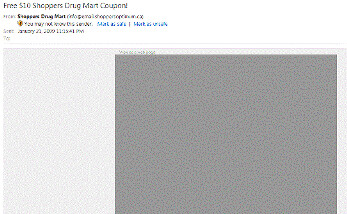
2. The Email Looks Like This:


Do I need to say more? Ok, I will.

If the "from line" and "subject line" did not say "Shoppers", I would have deleted the email right away. However, I did open it and I see this black box. What is this?? Emails today should not be all images for this reason. Email clients like Hotmail or Outlook (B2B and B2C recipients) will automatically block images. It's a necessity that the email contains text that is visible when the email is opened. An unsuspecting recipient may have thought this was a scam and quickly clicked on the "this is spam" link.

Including images in an email is actually a good idea depending on the email and the target audience. Besides blending in text, adding in ALT tags to the images could have outlined what the images were about. For example, the ALT text could have been "Shoppers is offering a $10 off coupon for this weekend". This unfortunately was not done and I have a grey box staring back at me. It gets worse - much worse.

3. Do I Look Like a Woman? Seriously.

Here is the email once I enabled the images:

If you notice, the products being advertised are women's beauty products. Thanks Shoppers, just what I wanted and it only takes 42 days for a "nuyu"- great (heavy sarcasm here)! In 2009, you need to ensure that emails are highly personalized. That means that every part of the email should have relevant information that I'm interested in. I'm part of the Shoppers Optimum Points program - I'm sure I provided my gender when I'm signed up. The products that I should see could be something like shaving gel. Let me be specific MEN'S shaving gel. In fact they should know my previous purchases and use that data to promote relevant products.

Ok, that may be pushing things but they could have used my age for improved segmentation.
If for some reason you may not have all of the relevant data for improved segmentation, look for ways to collect that information over time. I would have gladly updated my profile to get the coupon or to have downloaded some relevant information (if we're looking for a B2B example).
We are bombarded by too many emails and messages today. The emails need to be sent at the right time and with the right message.

Now, you may have noticed that Shoppers did include my Shoppers Optimum points balance - which is a personalized piece of information. A few notes here on how a good thing went wrong:
  • It's too bad that I never saw this until I scrolled down. This information should have been near the top.
  • I have 30 million points - so what? What can I do with those points? If you're going to include my points balance, make it actionable - if it doesn't add anything, don't include it. This information wastes space and takes away from the main purpose of the email.
It still gets worse!

4. How do I get the Coupon?

So I get over the fact that I first see a grey black box and that they think I need a makeover with women's facial cream. Yes, I'm insulted but I would like the coupon because I've run out of Shampoo and I have a Shoppers across the street from me (they're everywhere in Canada). I click on the image of the coupon. I click on it again. NOTHING HAPPENS. I click on the image of the women's' beauty products - that link works! The last tip I can give Shoppers is that you need to test your email campaigns and ensure that all images are clickable. While you can't tell from the grey image above, it's actually two images and they just forgot to add the correct link.

I hope that you and Shoppers have learned something from this campaign. Companies will waste precious marketing dollars if simple email best practices are not followed.

Chad H.

PS - If you live up here in the North, you can go here for the coupon
PPS - Here are some additional email tips:
Technorati Tags:
Read more >>

Sunday, January 18, 2009

Twitter and Customer Service - Potential PR Nightmare

Your company may have just started down the path of using Twitter as another communication channel. (If you're not there yet, that's cool but keep reading because there are some items to be aware of. Now back to our story). You may use it to highlight upcoming events, press releases and product/service updates. Using it for this purpose is fairly straightforward. It's mostly a marketing function and is controlled typically by the marketing team.

The question that you may be grappling with is this: How should Twitter be used for customer service? The answer: It's not your decision because Twitter is a two-way conversation and your customers will use it to post comments whether you like it or not. Therefore, the decision has been made for you and your company's customer service department needs to determine how Twitter will be used to create the best customer experience possible. If you are not monitoring Twitter and/or you provide poor follow up via Twitter, the results can be catastrophic for your company's brand.

Twitter and Customer Service Recommendations

This topic is a new one and this post is more of a brainstorming session then "best practices". I have seen and read about a few experiences and will share these here. PLEASE add your own experiences by commenting on this blog. Here are my recommendations:
  • Decide when to respond. David Meerman Scott write an excellent post on how the US Air Force decides to respond to any social media comments. If you notice, it's recommended that all customer blog posts be followed up on. It even provides guidelines on the type of response.

    I don't believe that it's as cut and dry as that - there may be times when just listening is the best response. Frank Eliason of @comcastcares (a Twitter account designed for Comcast customers) mentions in a video interview that it's important to listen to customers and at some point engage in the conversation. If you have a corporate Twitter account and someone sends you a message, you better respond and quickly. However, at times when a twit is sent in general about your company by a customer, you may just want to monitor the conversation at first rather than just responding. Twitter is a community and you may find that other customers may respond for you which is typically more powerful then having someone from your company respond. It all depends on the nature of the request.

    I would tend to be more on the side of responding to any customer mention of your company - this is for you to think more about. Frank mentions the importance of Comcast's Twitter presence in "being there and helping". This should be central in your decision making process on Twitter - how can I best help my customer. Here is a post by Melanie Seasons on a successful customer resolution via Twitter: Frank Eliason: Helping Comcast suck a little bit less. Notice that the response time of Comcast was a big factor in customer satisfaction. If you see a customer mentioning your company on Twitter, even responding with "Is there anything I can do?" is recommended.

  • Respond to the twitterer directly. I have an example where a customer saw me on Twitter and posted a message on Twitter with my Twitter name (@chadhorenfeldt) on a product issue. I didn't reply via Twitter (which everyone can see) but sent a direct message (can't remember if it was via Twitter or email) letting the person know that that their customer representative would follow up with them soon. The customer responded very positively via Twitter (so everyone could see) that their customer rep got in touch with them. I took the conversation "offline" as my Twitter account is not a corporate account and I would rather deal with the issue privately. This is another decision that you'll need to make - what's the best channel to respond to customer.

    This example was a positive story. However, you need to watch how you respond to customer tweets. Some twitters are not aware that when they twit about your company that people are listening. If you respond via email to a negative twit, cc a few other people from the customer's company and cite their complaint, you may run into some issues. Don't assume that because the person twitted about you, they want others in their company to know that they twit (especially that they twitted during working hours). The recommended approach is to message or email the person directly or respond via Twitter to get the issue resolved. I don't recommend citing the original twit in an email. Emails can get forwarded on quickly and your customer may get into trouble by their superiors if their twit is against their own company's web policies.

    You may want to break down the type of customer requests and decide if certain requests can be handled immediately via Twitter while others should be taken offline. Here is a great example by Bank of America Twitterer David Knapp (@BofA_help) who handled a customer complaint over charging fees for an allegedly "free" chequing account. He responded with the following:
    @miacupcake I'd have to look into the circumstances to really understand the situation. Can you send me a DM with your contact information?
    For those non-twitters, DM means direct message. David decided to take this conversation offline and get it resolved (response time was about 45 minutes after the initial complaint for those who were wondering).

  • Set the right expectations. Valeria Maltoni wrote a blog post on her experiences with Skype. She had an issue using Skype on an important family call on Christmas and tried to get it resolved. Skype customer service responded to her quickly on Twitter. The issue is that while the communication was sent via Twitter immediately, the issue wasn't resolved for three days. Valeria expected the issue to be resolved instantaneously (like Twitter). Same day response may have been impossible for Skype but since Skype did not set an expectation for resolution with Valeria she ended up being extremely angry and wrote a negative blog post. If you are going to use Twitter for customer service, ensure that you set the correct expectation when responding. You may want to use Twitter to point the customer to your regular support channel and let them know that someone will follow up with them in the near future. This is something else to think about.

  • Get a Twitter customer service plan in place. As I mentioned previously, your customers will talk about you and if you are a large or small company, you need some sort of plan in place to prevent a "Twitter free for all" at your company. What I mean here is that not only are your customers twitting about you but many of your employees are on Twitter and are twitting away about your company. For the most part, this is only beneficial - it's like you have an army of company supporters doing the PR work for you. However, this army can quickly start taking flak by making some social media mistakes based on my discussion above. You may already have a social media policy in place. It's time to add to it to consider how you should deal with Twitter mentions. Here are some items to think about when creating your plan when a customer mentions your company:
    1. When is a response needed?
    2. What should be the turn around time for a response?
    3. Who should respond?
    4. What channel should be used for the response should be provided? (email, phone, Twitter etc..)
    5. Who should receive the response?
    6. What is the message of the response? What should customers be instructed to do?
    7. Are expectations clear to the customer on a resolution?
    8. What is the escalation path at a company for dealing with Twitter complaints?
    9. Other items to consider: Is a designated twitter customer service account needed? I personally don't believe this to be the case and it depends on the size of the company and the nature of the business. I think that responding "by committee"should suffice. What is important is that it's clear as to who should respond and when a response is necessary.

    When it comes to these types of plans, go easy on your employees and focus on and what it will take to best support customers and not on restricting employees' freedom on Twitter. Companies like @zappos have the following policy: "just be real, and use your best judgement". I don't recommend enforcing such items as ensuring that the company twitters have a company logo etc... - Twitter is all about personality and that shouldn't be restricted.
I hope that you have found this discussion helpful and I highly encourage you to share your thoughts and experiences by commenting on this blog post.

Chad H.
www.twitter.com/chadhorenfeldt

PS: If you found this useful, please tweet about it.
PPS: Here is a good post on the subject: How to Get Customer Service via Twitter

Technorati Tags:
Read more >>

ShareThis

LinkWithin

Related Posts Widget for Blogs by LinkWithin